LayerUp Games
Games ▾
All Games Sleeve Catalog
My Games My Game Wishlist My Accessories
3D Models ▾
All Game 3D Models Tabletop Accessories
Kanban BG My Prints My Future Prints My Collections
Makers ▾
Makers Designers
Contribute ▾
Submit a 3D Model Request a 3D Model 3D Model Bounties
3D Printing Resources
Unboxing ▾
Today's Puzzle
Leaderboard Archive
Theme
Light
Dark
⌘K
Sign In Register
Jerusalem

Jerusalem

2010
Flag this page

Sign in to flag this page. Nothing changes right now either way - it tells an admin to look.

Buy this game on Amazon ↗

As an Amazon Associate, LayerUp Games earns from qualifying purchases.

Game Details

Box 11.7 × 11.7 × 2.8 in (29.7 × 29.7 × 7.1 cm) · Multilingual edition (2010). Editions vary, check your copy before printing an insert.

Jerusalem in the 12th Century was a city embroiled in intrigues and power struggles. The Crusader Houses established themselves as the city's rulers, but who would rule over them? Now you must join in the power politics of the holy city, using your resources to control the most important districts and building a castle that towers over your opposition. Prove yourself the most capable Baron, and take your rightful place as the ruler of Jerusalem! OVERVIEW The goal for each player is to control the key Sectors of the city: the King, the Church, the Market, the Military, the Nobilty and the Tower of David. This control is achieved gaining the favors of the most important roles of the city (such as the Constable) and by placing Men and Barons into these Sectors. Who owns the most forces gets the Revenue of that area: Men, Gold and Tower-Points. The players can use these new resources to improve their position in the city. At the end of each round the players can rise their Towers building new floors. Also players will have to manage the Special Privileges and bad Events that will take place at end of each Round. At the end of the game, the player with the highest Tower will be the winner and his family will rule the city!

Medieval · Area Majority / Influence, Auction / Bidding, Open Drafting, Worker Placement

More ▾

View on BGG ↗

Michele Mura , designer

Guido Favaro , Eva Villa , artist

ABACUSSPIELE , publisher

#5077
Rank
6.7
Rating
2.9
Weight
2–4
Players
Cover Colors

Main colors from the cover art. Find matching filament, or tap swatches to narrow.

Matching filament

0 3D models for Jerusalem

Submit a 3D Model

No 3D model files yet.

Know of one? Submit a 3D Model, or request one to let the community know.

Expansions (10)

Jerusalem: Extra Resources
2014 · no models yet
Jerusalem: Foreign Baron
2014 · no models yet
Jerusalem: Pass
Jerusalem: Pass
2014 · no models yet
Jerusalem: The Artist
2014 · no models yet
Jerusalem: The Merchant
2014 · no models yet
Jerusalem: Call to Arms
2013 · no models yet
Jerusalem: The Horse
2012 · no models yet
Jerusalem: The Assassin
2011 · no models yet
Jerusalem: The Beggar
2011 · no models yet
Jerusalem: The Builder
2011 · no models yet
Show only expansions with models

You might also like

Similar games by designer or mechanics that also have 3D models.

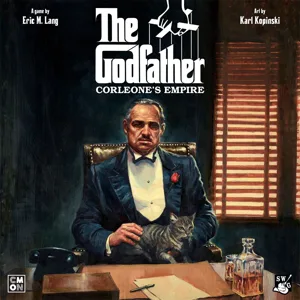
The Godfather: Corleone's Empire
2 models
Bruxelles 1893: Belle Époque
2 models
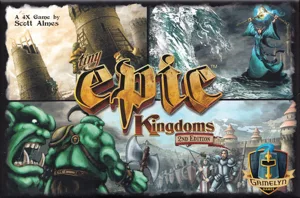
Tiny Epic Kingdoms
Tiny Epic Kingdoms
5 models
1347: De Nigrae Pestis Ludo
1 model
El Grande
El Grande
4 models
Rurik: Dawn of Kiev
Rurik: Dawn of Kiev
3 models
Board Games Game Prints Accessories Designers Photos Stats Submit a 3D Model Request a 3D Model
About Privacy Contact Tabletop Glow Up VisualSpool Discord
Powered by BoardGameGeek Powered by BoardGameGeek
Made with by Kamio · © 2026 LayerUp Games · Not affiliated with any platform
↑↓ navigate ↵ open esc close

Keyboard shortcuts

General
CtrlKOpen the command palette
/Jump to the page search
EscClear search · close dialogs
?Show this help
In the command palette
↑↓Move between results
↵Open the selected result
EscClose the palette
Open the command palette →