LayerUp Games
Games ▾
All Games
My Games My Game Wishlist
3D Models ▾
All Game 3D Models Tabletop Accessories
Kanban BG My Prints My Future Prints
Makers ▾
Makers Designers
Contribute ▾
Submit a 3D Model Request a 3D Model 3D Model Bounties
Print Resources
Unboxing ▾
Today's Puzzle
Leaderboard Archive
Theme
Light
Dark
⌘K
Sign In Register
The King's Armory

The King's Armory

2015
Submit a 3D Model

Buy on Amazon ↗

As an Amazon Associate, LayerUp Games earns from qualifying purchases.

Cover Colors

Main colors from the cover art. Find matching filament, or tap swatches to narrow.

Hide matches ▴
Game Details

Design by John Wrot!

Art by Matt Bulahao, Joshua Calloway, Jason Juta +3 more · Published by Gate Keeper Games

#8715
Rank
6.8
Rating
3.2
Weight
1–7
Players

The King's Armory is a co-op tower defense game for 1-7 players that remains true to the online genre of tower defense; in addition, it allows new players to drop in or drop out of the game without destroying the game balance! Designed after our favorite online TD games, there is a map that consists of 16 road tiles that allows you to design your own new map each time. At the start of the game each player chooses one of seven playable heroes to lead the King’s defenses. The Heroes, though powerful, can not go it alone. They will need to build towers which will house hired aid, such as the Foot Soldier, the Archer, the Sorcerer, the Psionicist, and the Cleric; each with their own unique abilities. Over the course of the game Waves of monsters will flood onto the board, rushing down the path, turn by turn, trying to break into the King's Armory. If the monsters succeed, you lose! If you kill them all, including their leader, the super powered Boss monster, you all win together! To aid your quest you may upgrade your Heroes by purchasing unique Equipment that grants them newer better abilities; while the Hirables can be upgraded directly, up to 3 levels each, gaining new powers each time! And when all else fails, you can always call for Reinforcements; a set of special bonus attack cards that each deals damage to a whole area on the board in a new and unique way!

Fantasy, Video Game Theme · Action Points, Cooperative Game, Dice Rolling, Grid Movement, Modular Board, Network and Route Building, Variable Player Powers

More ▾

View on BGG ↗

1 3D model for The King's Armory

1 designer · newest 9y ago

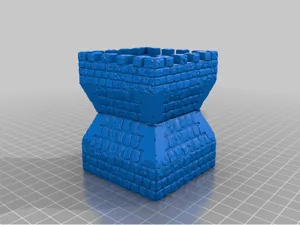
King's Armory Parapet
Inserts
Thingiverse tawnos76 6

Don't see the print you need? Request it

Expansions (10)

No Image
The King's Armory: Alexian the War King
2015 · no prints yet
No Image
The King's Armory: Artaxerxes the Jester
2015 · no prints yet
No Image
The King's Armory: Asphar the Barbarian
2015 · no prints yet
No Image
The King's Armory: Fairytale Expansion Set
2015 · no prints yet
No Image
The King's Armory: Firepower Expansion Set
2015 · no prints yet
No Image
The King's Armory: Kickstarter exclusive extras
2015 · no prints yet
No Image
The King's Armory: Reward Expansion Set
2015 · no prints yet
No Image
The King's Armory: Rhette the Pirate
2015 · no prints yet
No Image
The King's Armory: Robin Hood the Sharpshooter
2015 · no prints yet
No Image
The King's Armory: Zoe the Ninja
2015 · no prints yet
Show only expansions with prints

You might also like

Similar games by designer or mechanics that also have prints.

Sub Terra II: Inferno's Edge
1 print
Middara: Unintentional Malum – Act 1
8 prints
Folklore: The Affliction
3 prints
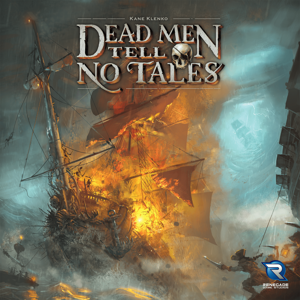
Dead Men Tell No Tales
2 prints
Harakiri: Blades of Honor
1 print
Renegade
Renegade
6 prints
Board Games Game Prints Accessories Designers Photos Stats Submit a 3D Model Request a 3D Model
About Privacy Contact Tabletop Glow Up VisualSpool Discord
Powered by BoardGameGeek Powered by BoardGameGeek
Made with by Kamio · © 2026 LayerUp Games · Not affiliated with any platform
↑↓ navigate ↵ open esc close

Keyboard shortcuts

General
CtrlKOpen the command palette
/Jump to the page search
EscClear search · close dialogs
?Show this help
In the command palette
↑↓Move between results
↵Open the selected result
EscClose the palette
Open the command palette →